
UI Design & Stakeholder Research — GoodLife 45
Blog page redesign: from peer feedback to stakeholder sign-off
Building on my calendar page redesign for GoodLife 45, I tackled their blog page — a page that had been deprioritized in the previous site redesign. I created multiple mockup versions, gathered peer feedback, iterated based on suggestions, and walked the final design through stakeholder approval all the way to the CEO.
Context
A page that got left behind
Following my calendar page redesign for GoodLife 45, I turned my attention to their blog page — a page my supervisor acknowledged had taken a hard cut during the site’s previous redesign. The web design lead at the time hadn’t prioritized it, and the result was a page that started strong and quickly fell apart.
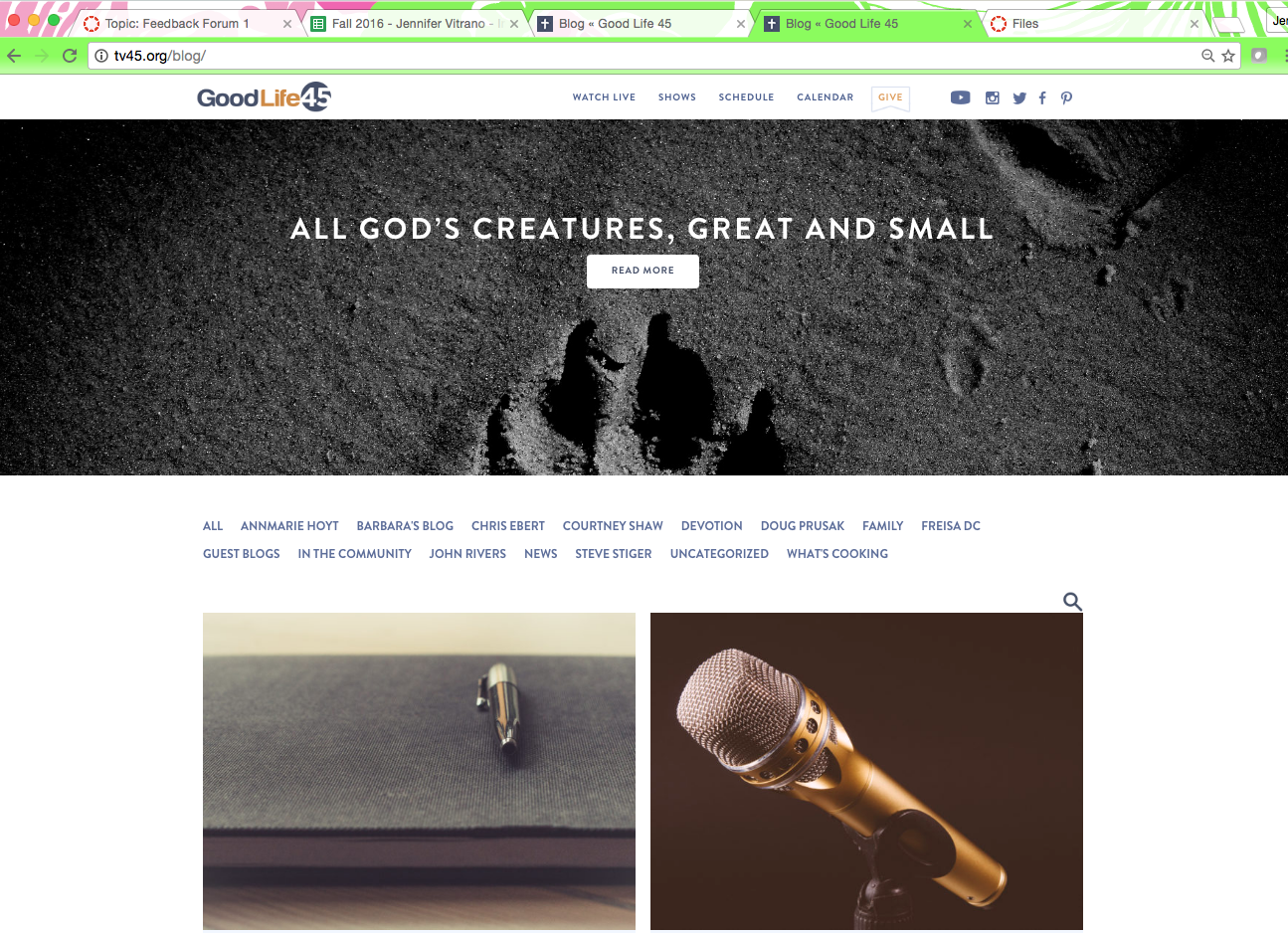
The page opened with a compelling large blog header image, but once users scrolled past it, they hit a wall of purple text links with no labels, no hierarchy, and no affordance that would tell a first-time visitor what they were looking at.
The problem
Users getting lost after the hero
The core problem was discoverability. The category links were styled as plain purple text with no surrounding context — there was nothing to tell a user unfamiliar with blog conventions that those were navigation categories. Traditionally categories live in a sidebar; here they were just floating mid-page with no visual treatment to indicate what they were.
The search bar was also buried, making it hard to find for anyone who wanted to locate something specific. The page had the bones of a good blog experience but none of the scaffolding that makes it usable.
My approach
Multiple versions, one goal: make it scannable
I created two initial mockup versions to explore different approaches to the same problem. Both stayed on brand using the existing style guide.
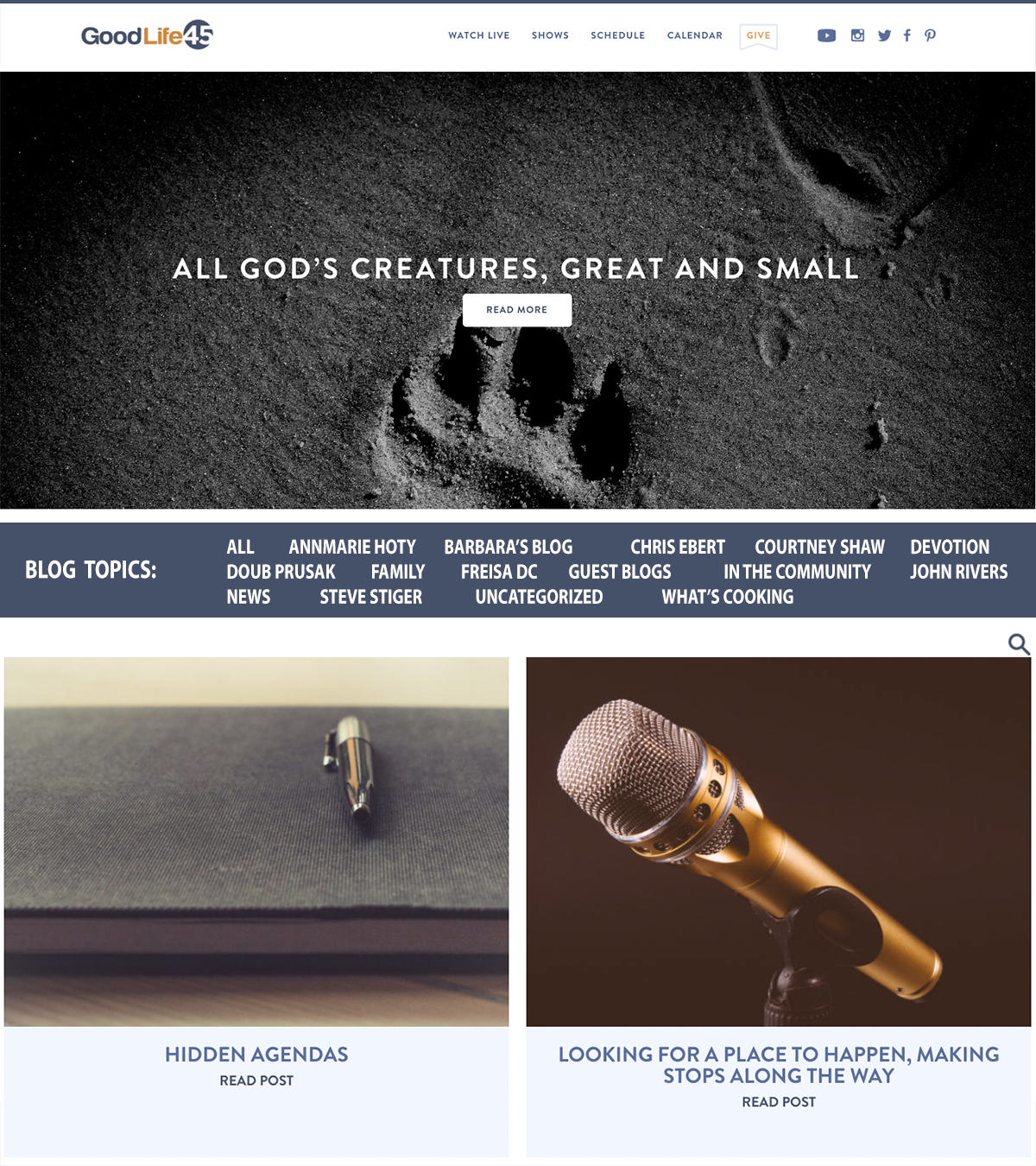
Version 1 — labelled categories
Added a border background to the category links and introduced a title above them to explicitly describe what the links were. A lower-friction change that improved scannability without restructuring the layout.
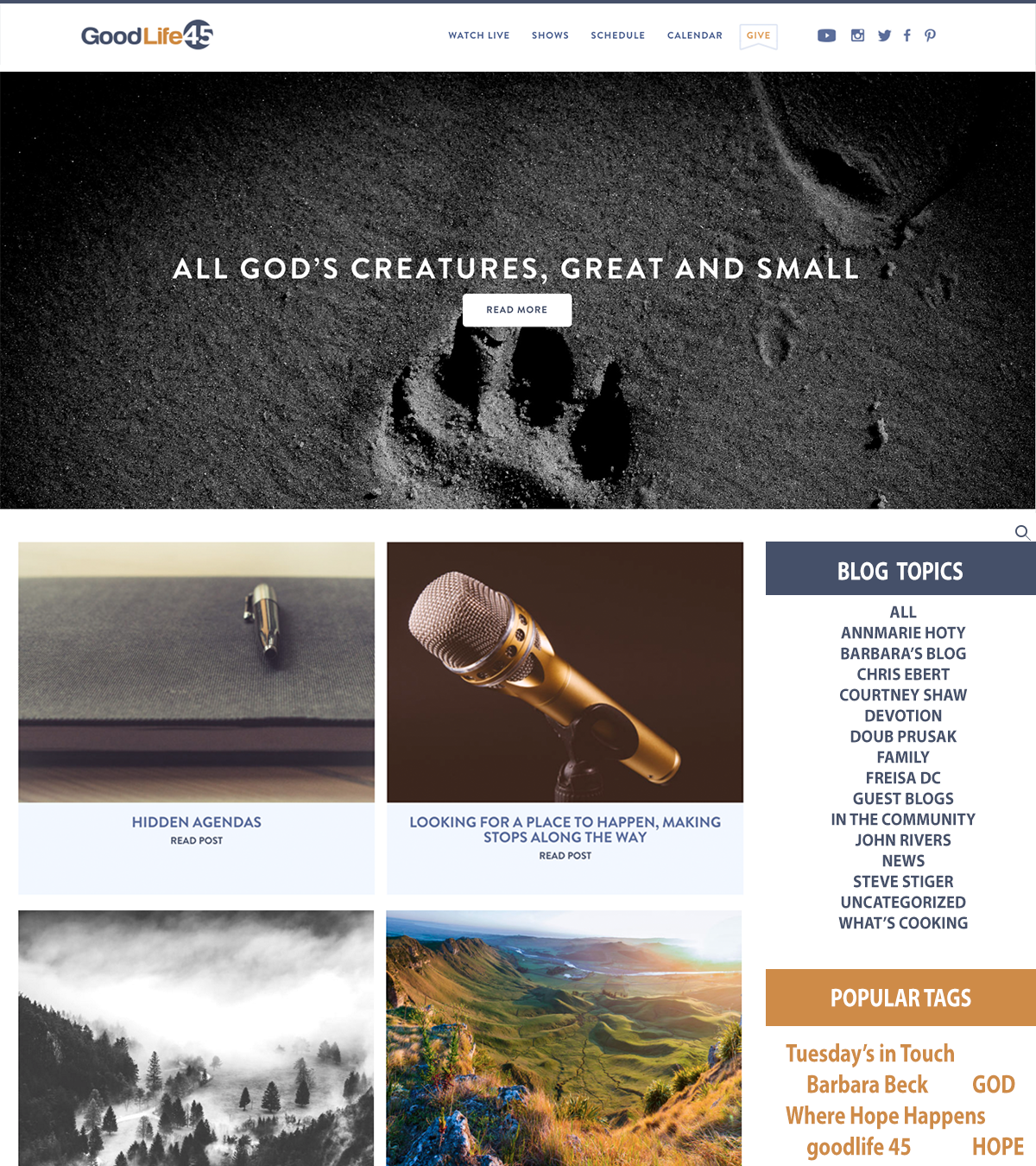
Version 2 — traditional sidebar
Moved the category links into a traditional sidebar layout, added tags, and relocated the search bar to the top of the sidebar so it would remain accessible at all times as the user scrolled. The sidebar stays static while content scrolls alongside it.
Peer feedback
Don’t be afraid to ask for feedback
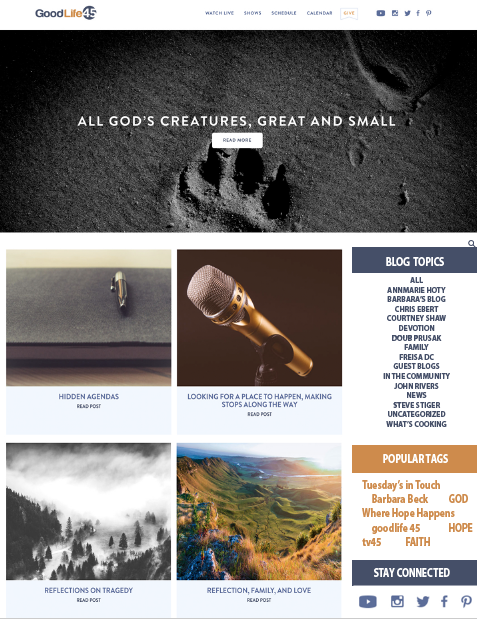
I presented both versions to my internship classmates for critique. The sidebar approach was the clear favorite — it felt more familiar and gave users a stable anchor as they browsed content. One classmate suggested adding a social media section to the sidebar, which I hadn’t considered. It was a great call.
I incorporated the social media section into Version 2, creating Version 2.1 as the updated final direction to take to stakeholders.
Implementation
Stakeholder sign-off and developer handoff
Both versions were presented to my supervisor, who agreed that the sidebar approach was the most appropriate and user-engaging solution. During that review, she suggested making the full sidebar the darker color rather than just portions of it, which I incorporated before presenting to the CEO.
The updated mockup received sign-off from both my supervisor and the CEO. As with the calendar page, GoodLife 45 works with a contracted third-party developer, so I communicated the final design directly to their team to coordinate implementation.
Reflection
What I learned
In my own words
This project reinforced something I believe now more than ever: don’t skip the feedback step. Because I asked my classmates for their take on the mockups, I got the recommendation to add a social media section — something I hadn’t thought of on my own. That one conversation made the final design meaningfully better. It was an early lesson in the value of other perspectives, and it’s shaped how I approach critique and collaboration ever since. I also got more comfortable walking designs through multiple rounds of stakeholder review — from peer feedback, to supervisor input, to CEO sign-off — and understanding that each audience brings something different to the table.
Let’s work together
I’m always open to conversations about meaningful work — whether that’s a role, a collaboration, or just a good design discussion.